Header
Keep Markdown notes, meeting minutes, and research together on your Mac.
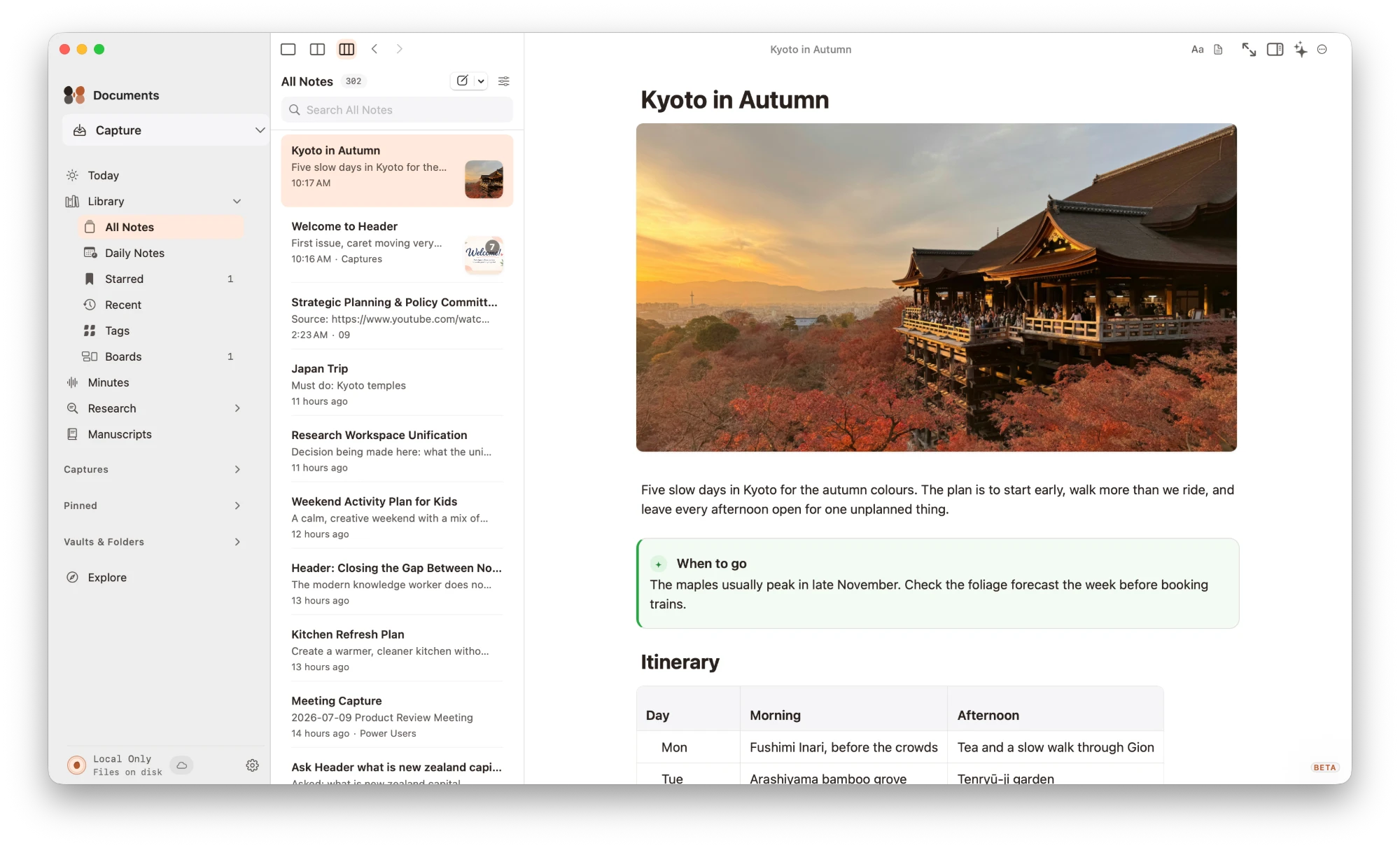
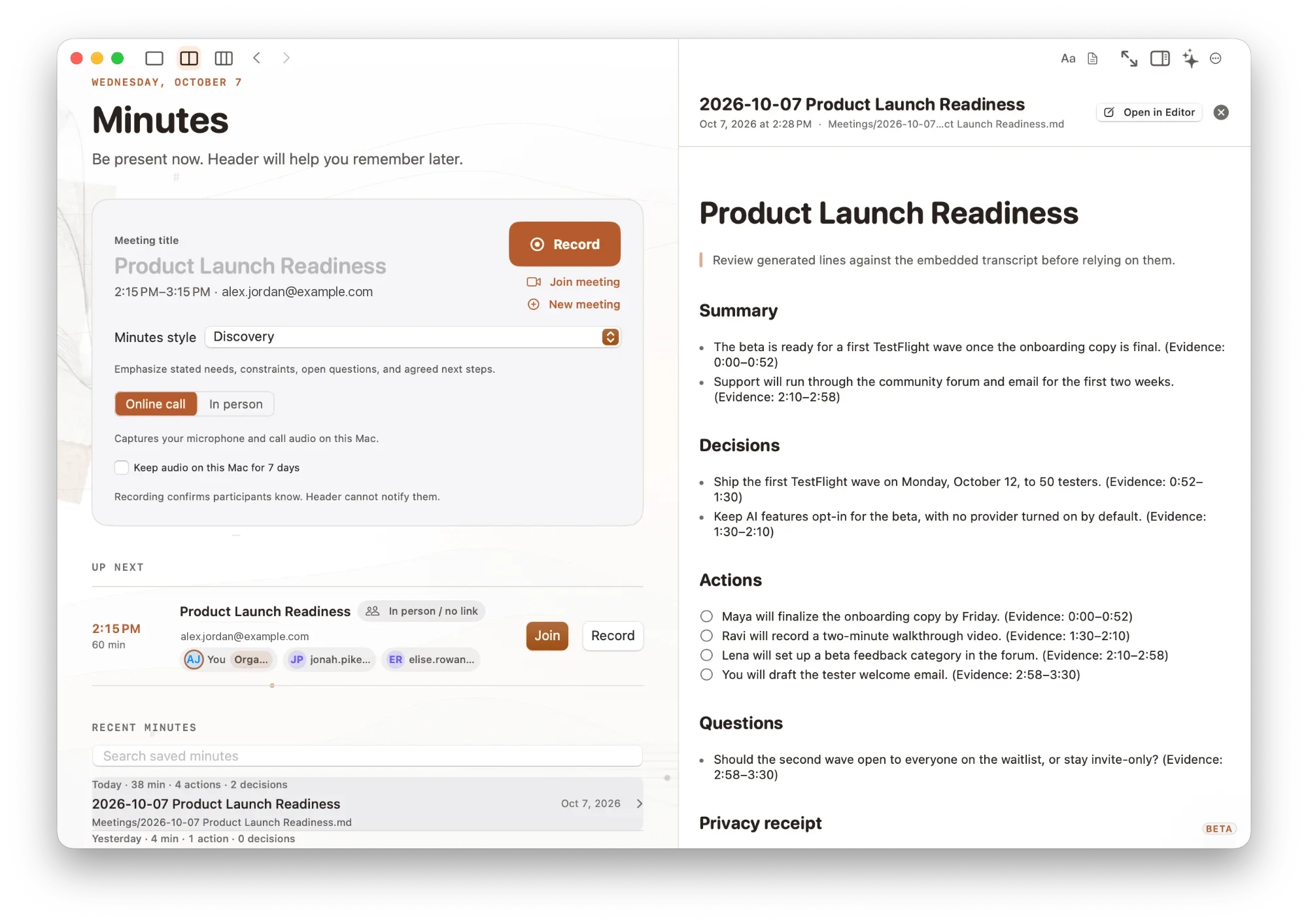
Work with plain Markdown files in a folder you choose, using a rich editor, raw source, or side-by-side editing. Header combines linked notes, tags, version history, meeting minutes, and research tools, with exports to PDF, HTML, Word, and other formats. AI is optional and can use your own provider, Ollama, or supported Apple Intelligence features. The Mac beta is free to try on macOS 14.4 or later; full-release pricing has not been announced. Meeting transcription can run locally on macOS 26 or with an optional Whisper model; earlier systems and some languages may use Apple's servers.
Product preview
See Header in action
What is Header best for?
Header is a free Markdown tool best suited to combining local markdown notes, meeting minutes, and research on a mac. It is available as Desktop app on macOS, and its source status is proprietary.
Verified editor profile
Reviewed October 15, 2026
MarkdownList independently checked these facts against the product, its official documentation, or its public source. Missing items mean not verified, not necessarily unsupported.
Editing experience
Files and offline use
- Local Markdown files
- Folder or workspace support
- Works offline
Markdown support
- Tables
- Task lists
- Math
Collaboration and history
- Revision history
Output and extensions
- PDF export
- HTML export
- Word / DOCX export
At a glance
- Pricing
- Free
- Source
- Proprietary
- Best for
- Combining local Markdown notes, meeting minutes, and research on a Mac
Availability
Platforms
Surfaces
Related tools

Mnemo
Bring notes, flashcards, and mind maps into one study workspace.
Study in a free, open-source desktop app with a visual block editor, Markdown import and export, spaced-repetition flashcards, and mind maps. Notes support tables, equations, code highlighting, tabs, and PDF export, while study dashboards track your practice. Your data stays in the app’s local storage rather than a folder of Markdown files. Mnemo is in beta on Windows, Apple silicon Macs, and Linux; the Linux build is a preview.
Desktop app
macOS · Windows · Linux

Obsidian
A private and flexible knowledge base.
Keep a personal knowledge base in local Markdown files, with source editing, inline Live Preview, and a separate reading view. Link notes with backlinks, explore connections in a graph or Canvas, and organize note properties with Bases. Community plugins extend the app; optional paid Sync and Publish services add device synchronization and web publishing.
Desktop app · Mobile app
macOS · Windows · Linux · iOS · Android