
Pandoc
The universal document converter.
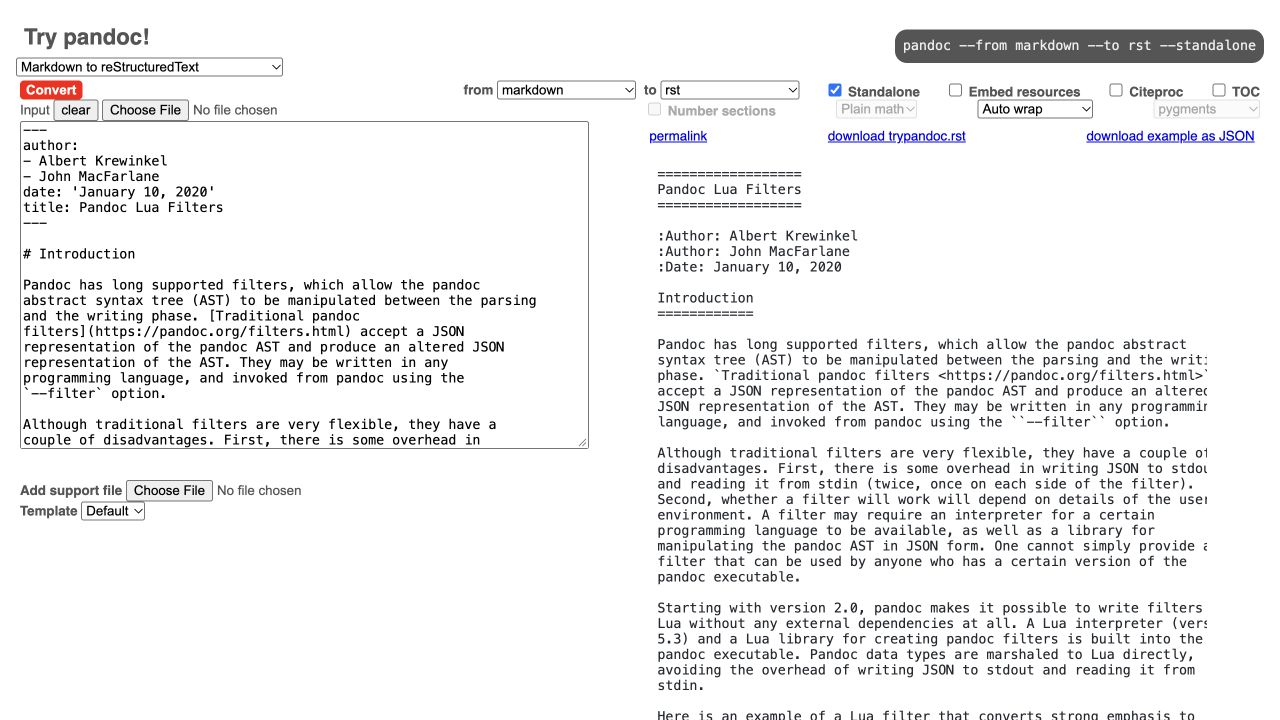
Convert documents between Markdown, HTML, DOCX, EPUB, LaTeX, and many other formats from scripts or the command line. Templates, citation processing, and filters let you customize repeatable publishing workflows. PDF output requires a compatible external PDF engine; complex layouts may need format-specific adjustments.
Product preview
See Pandoc in action
What is Pandoc best for?
Pandoc is a free Markdown tool best suited to scriptable document conversion and repeatable publishing pipelines. It is available as CLI on macOS, Windows, Linux, CLI, and its source status is open source.
At a glance
- Pricing
- Free
- Source
- Open source
- Best for
- Scriptable document conversion and repeatable publishing pipelines
Capabilities
- document conversion
- DOCX and EPUB output
- HTML and LaTeX
- citations and bibliographies
- templates
- Lua filters
Platforms
Surfaces
Related tools
Markdownee
Crawl websites into Markdown with TypeScript and Python tools.
Extract web pages as Markdown, plain text, or HTML with a CLI and libraries for TypeScript and Python. Markdownee combines Trafilatura Core content extraction with Crawlee crawling, configurable link filters, page and depth limits, and optional image downloads. The free web playground previews one page and generates commands for larger crawls. Self-hosted code is free under Apache-2.0; optional hosted Apify runs have separate usage pricing.
Web app · CLI · Library
Web · CLI
Markedly
Convert documents, spreadsheets, and images to Markdown on Mac.
Drop files or folders into a native macOS app to convert DOCX, PDF, RTF, HTML, spreadsheets, delimited data, and images into GitHub Flavored Markdown. Markedly works locally without uploads, accounts, or analytics and supports batch conversion, OCR, Finder Services, and Shortcuts automation.
Desktop app
macOS