MarkSchrift
A live-rendering Markdown workspace for iPhone, iPad, and Mac.
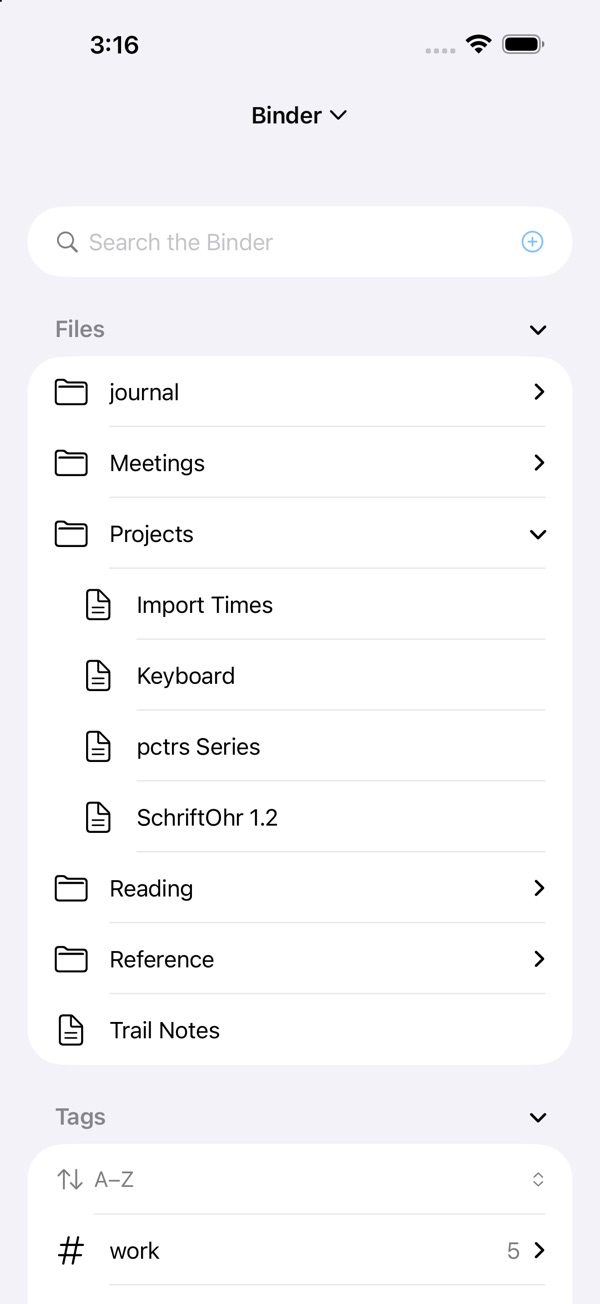
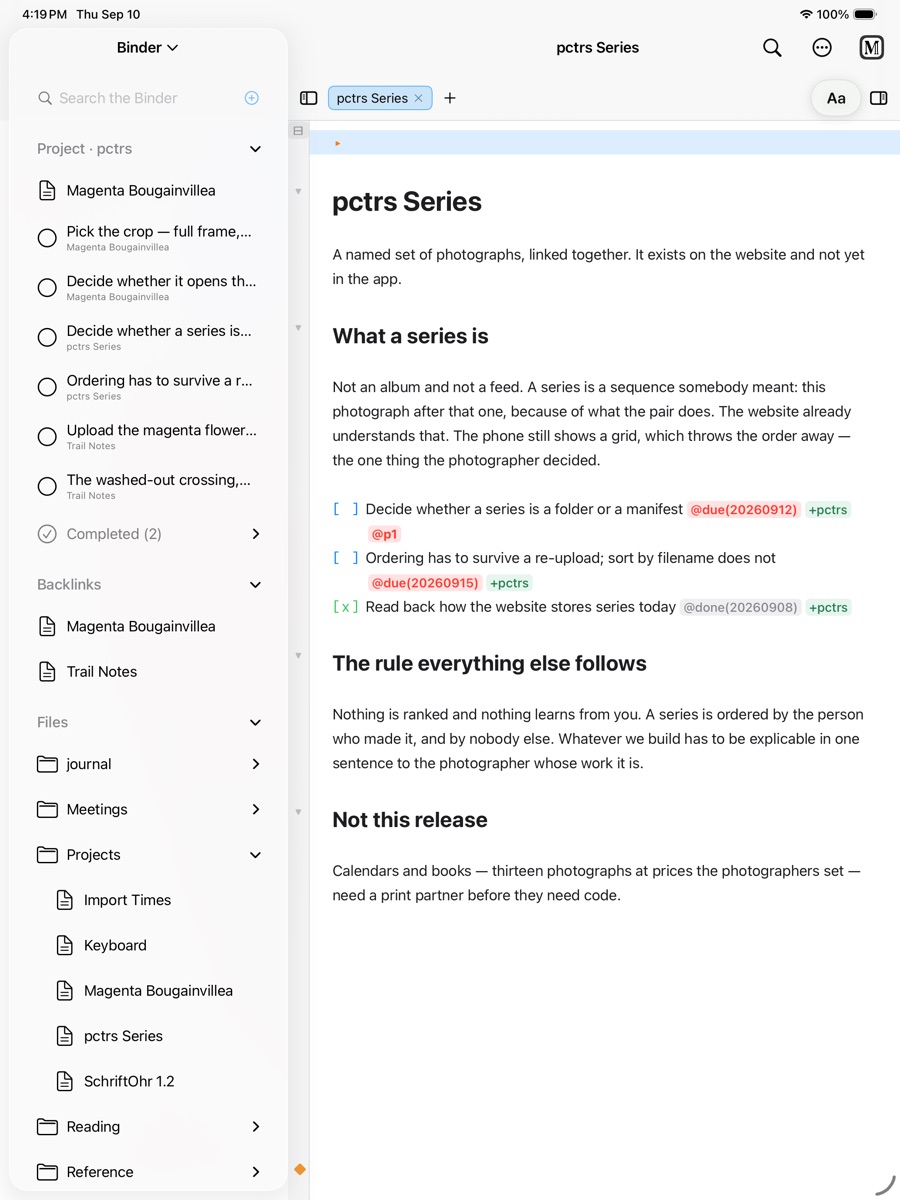
A plain-text workspace for writing, planning, and study that renders Markdown as you type while every note stays an ordinary .md file. Notes live in a linked, searchable vault with wiki links, backlinks, and tags, and plain-text tasks feed an agenda, project pages, and a weekly review. Optional end-to-end encrypted live collaboration, polytonic Greek and pointed Hebrew input, LaTeX math, and PDF, Word, and HTML export cover longer projects.
Product preview
See MarkSchrift in action
What is MarkSchrift best for?
MarkSchrift is a freemium Markdown tool best suited to writing, task planning, and study in markdown files you own across iphone, ipad, and mac. It is available as Mobile app, Desktop app on iOS, macOS, and its source status is proprietary.
At a glance
- Pricing
- Freemium
- Source
- Proprietary
- Best for
- Writing, task planning, and study in Markdown files you own across iPhone, iPad, and Mac
Capabilities
- live preview editing
- wiki links and backlinks
- plain-text tasks
- projects and weekly planning
- encrypted live collaboration
- polytonic Greek and pointed Hebrew
- LaTeX math
- PDF, Word, and HTML export
Platforms
Surfaces
Related tools

Obsidian
A private and flexible knowledge base.
Build a local-first knowledge base from Markdown files, backlinks, graph views, canvases, and a large plugin ecosystem.
Marko MD
A focused viewer for the Markdown that Claude writes.
Read local plans, reports, specs, and runbooks in task-specific Reading, Plan, and Interactive modes. Marko runs as a lightweight macOS or Windows app, a standalone browser file, an npm CLI and live server, or a Claude Code plugin, with no accounts, telemetry, or uploads.