
Prisment
Edit local Markdown and convert documents in one workspace.
Prisment is a browser and desktop workspace for local Markdown folders. It offers source, split-preview, and visual editing, plus rendered reading, file tabs, an outline, search, and change detection for files edited elsewhere. It also converts Word, PDF, and spreadsheet content into Markdown or CSV, and exports Markdown as standalone HTML or through browser printing. Its offline workflow is free.
Product preview
See Prisment in action
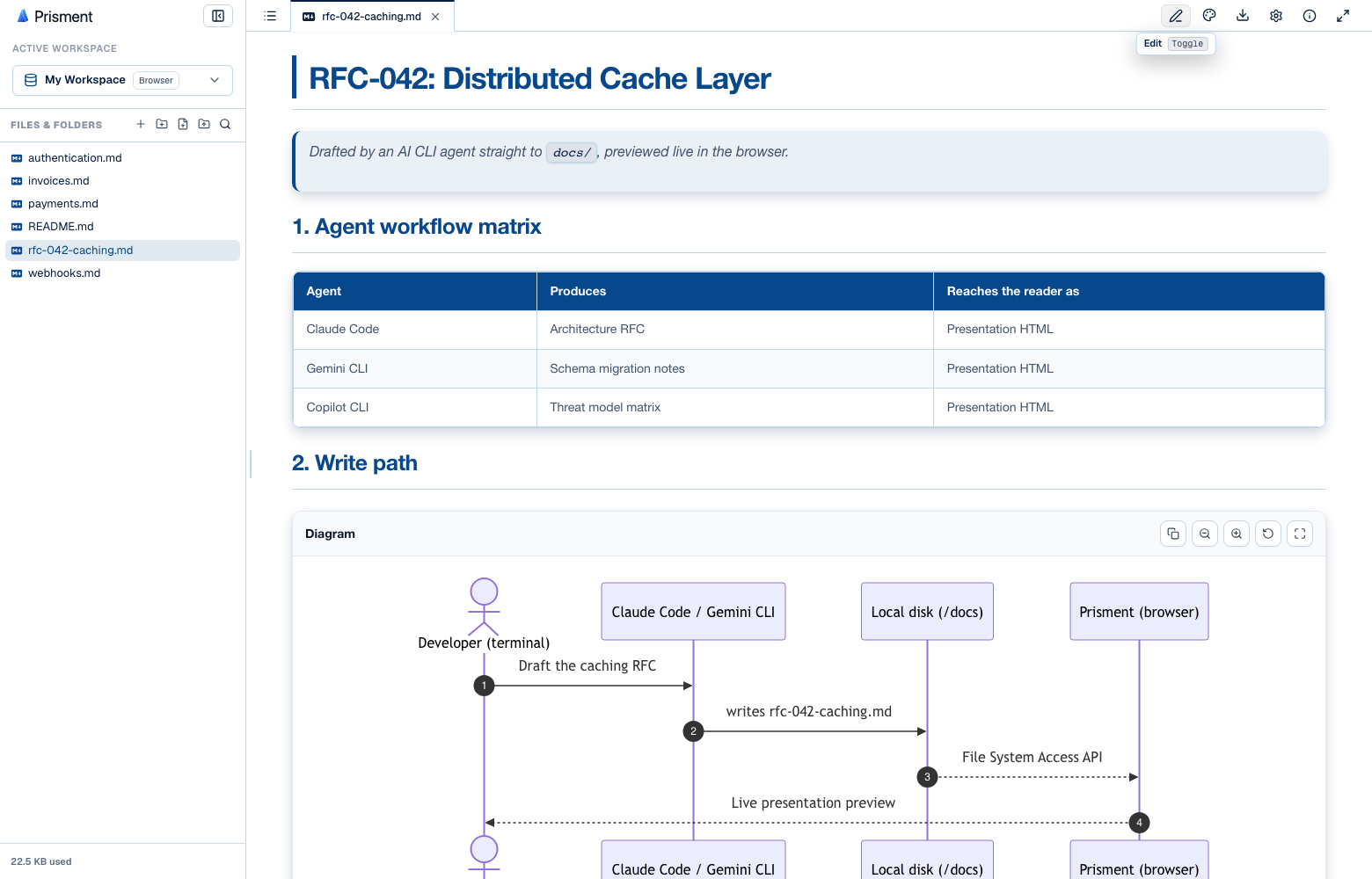
What is Prisment best for?
Prisment is a free Markdown tool best suited to working with local markdown folders while converting office documents. It is available as Web app, Desktop app on Web, macOS, Windows, Linux, and its source status is proprietary.
Verified editor profile
Reviewed October 3, 2026
MarkdownList independently checked these facts against the product, its official documentation, or its public source. Missing items mean not verified, not necessarily unsupported.
Editing experience
Files and offline use
- Local Markdown files
- Folder or workspace support
- Works offline
- Detects external file changes
Long documents
- Outline or table of contents
- Document search
- Tabs or multiple documents
Markdown support
- Tables
- Task lists
- Math
- Mermaid diagrams
Output and extensions
- PDF export
- HTML export
At a glance
- Pricing
- Free
- Source
- Proprietary
- Best for
- Working with local Markdown folders while converting office documents
Availability
Platforms
Surfaces
Related tools

Markedly
Convert documents, spreadsheets, and images to Markdown on Mac.
Drop files or folders into a native macOS app to convert DOCX, PDF, RTF, HTML, spreadsheets, delimited data, and images into GitHub Flavored Markdown. Markedly works locally without uploads, accounts, or analytics and supports batch conversion, OCR, Finder Services, and Shortcuts automation.
Desktop app
macOS

Pandoc
The universal document converter.
Convert documents between Markdown, HTML, DOCX, EPUB, LaTeX, and many other formats from scripts or the command line. Templates, citation processing, and filters let you customize repeatable publishing workflows. PDF output requires a compatible external PDF engine; complex layouts may need format-specific adjustments.
CLI
macOS · Windows · Linux · CLI