
Soot
Write calm notes in Markdown files you own.
Soot is a Mac and iPhone notes editor whose formatted writing surface keeps Markdown syntax out of the way. Each Mac note is a plain .md file in a folder you choose. The editor is free, while optional Soot Pro adds encrypted device sync. It is currently available through a TestFlight beta invitation requested on the official site.
Product preview
See Soot in action
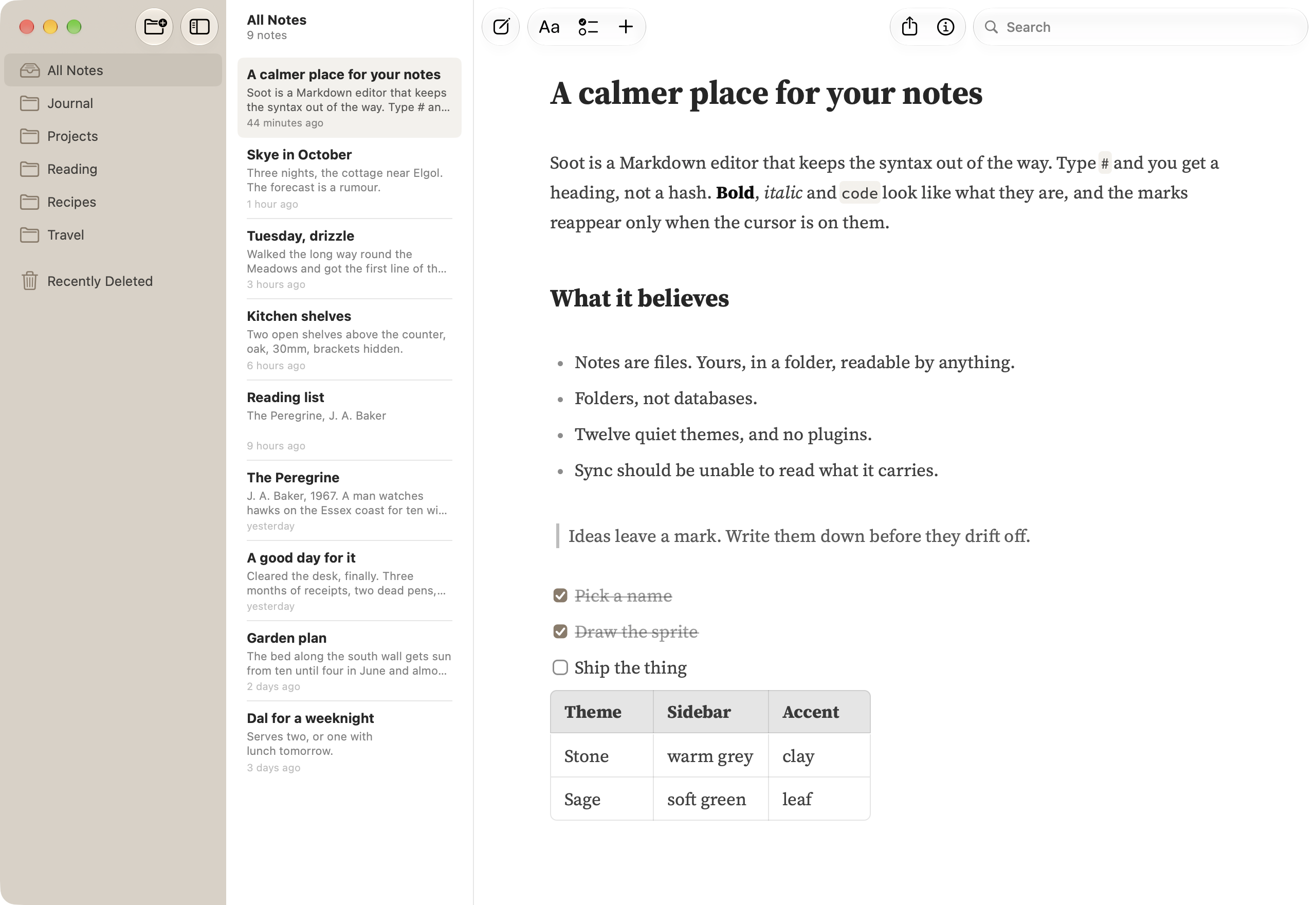
What is Soot best for?
Soot is a freemium Markdown tool best suited to people who want simple mac notes that remain accessible as ordinary markdown files. It is available as Desktop app, Mobile app on macOS, iOS, and its source status is proprietary.
Verified editor profile
Reviewed October 6, 2026
MarkdownList independently checked these facts against the product, its official documentation, or its public source. Missing items mean not verified, not necessarily unsupported.
Editing experience
Files and offline use
- Local Markdown files
- Folder or workspace support
- Works offline
Long documents
- Document search
- Tabs or multiple documents
Markdown support
- Task lists
At a glance
- Pricing
- Freemium
- Source
- Proprietary
- Best for
- People who want simple Mac notes that remain accessible as ordinary Markdown files
Availability
Platforms
Surfaces
Related tools

Obsidian
A private and flexible knowledge base.
Keep a personal knowledge base in local Markdown files, with source editing, inline Live Preview, and a separate reading view. Link notes with backlinks, explore connections in a graph or Canvas, and organize note properties with Bases. Community plugins extend the app; optional paid Sync and Publish services add device synchronization and web publishing.
Desktop app · Mobile app
macOS · Windows · Linux · iOS · Android

Octarine
A private Markdown workspace for notes and daily planning.
Capture ideas, organize knowledge, and plan from a fast local-first editor that keeps notes as plain Markdown files. Octarine combines a Daily Desk, workspace search, tasks, properties, backlinks, optional AI assistance, shared-note feedback, and a companion web clipper across desktop and iOS.
Desktop app · Mobile app · Browser extension
macOS · Windows · Linux · iOS