
Kova
Build presentations from plain Markdown.
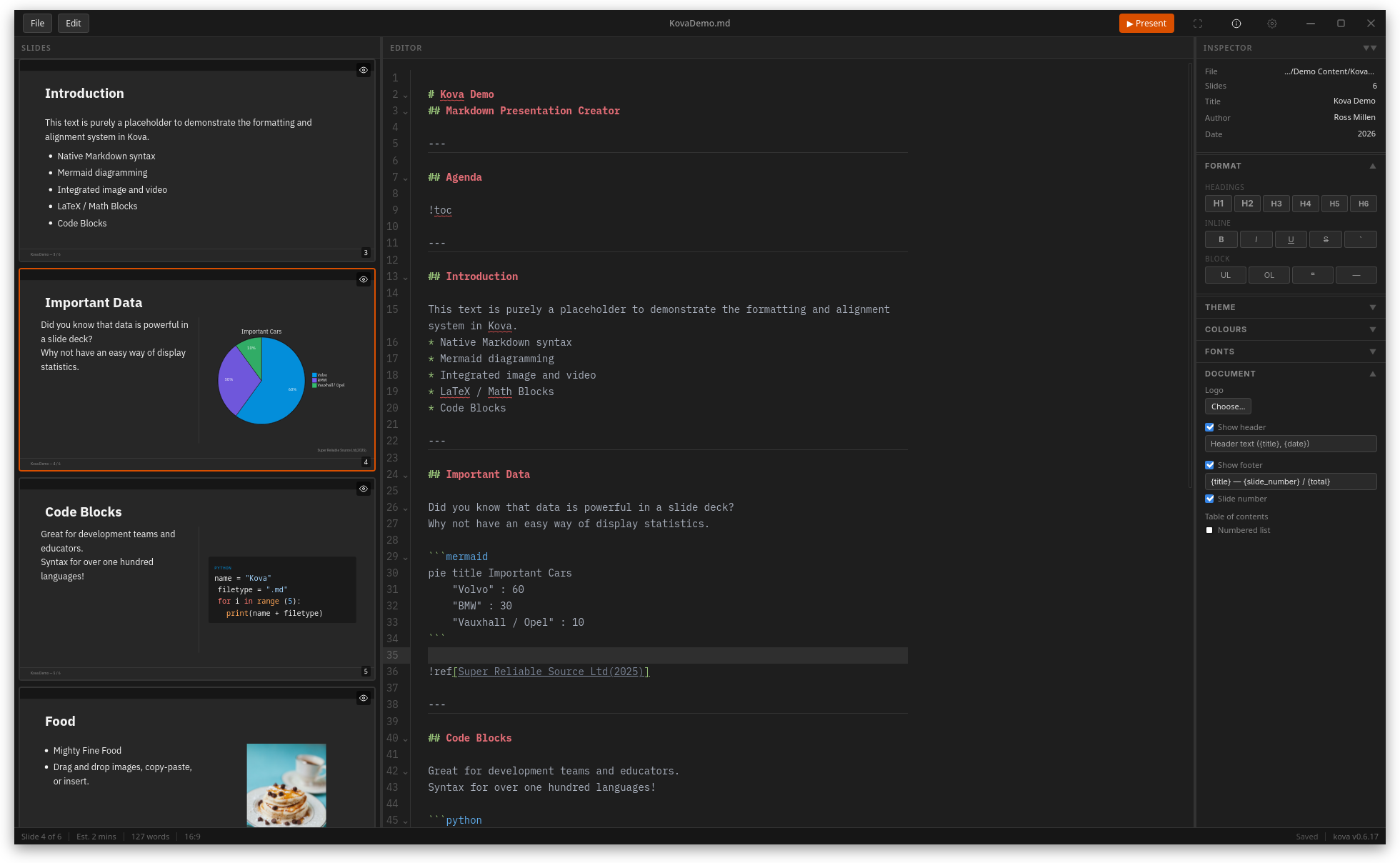
Write slides in a Markdown file while Kova renders the current slide beside the source. Automatic layouts, themes, Mermaid diagrams, math, code highlighting, and speaker notes support technical presentations. Export finished decks to PDF, PowerPoint, or standalone HTML. The free desktop app works with local files on macOS, Windows, and Linux.
Product preview
See Kova in action
What is Kova best for?
Kova is a free Markdown tool best suited to creating technical presentations from portable markdown files. It is available as Desktop app on macOS, Windows, Linux, and its source status is open source.
Verified editor profile
Reviewed October 5, 2026
MarkdownList independently checked these facts against the product, its official documentation, or its public source. Missing items mean not verified, not necessarily unsupported.
Editing experience
Files and offline use
- Local Markdown files
- Works offline
- Detects external file changes
Markdown support
- Tables
- Math
- Mermaid diagrams
- Syntax-highlighted code
Output and extensions
- PDF export
- HTML export
At a glance
- Pricing
- Free
- Source
- Open source
- Best for
- Creating technical presentations from portable Markdown files
Availability
Platforms
Surfaces
Related tools

mdedit.ai
A visual workspace for serious Markdown documents.
Write and review Markdown with source and live preview, tables, Mermaid diagrams, math, frontmatter, and an outline. Local workspaces, comments, revision history, collaborative editing, and exports to PDF, HTML, and DOCX support longer document workflows. Core editing is free, with paid collaboration and AI options. Native apps cover desktop and Android; the iOS app is still coming soon.
Web app · Desktop app · Mobile app · AI agent plugin · Agent skill
Web · macOS · Windows · Linux · Android

Markpad
The lightweight Notepad equivalent for Markdown.
Open, edit, and preview Markdown in a fast cross-platform desktop app built with Tauri. Markpad combines tabs and multiple windows with Monaco editing, split view, auto-reload, Vim mode, Mermaid and KaTeX rendering, themes, zen mode, image pasting, and PDF or HTML export without telemetry.
Desktop app
macOS · Windows · Linux